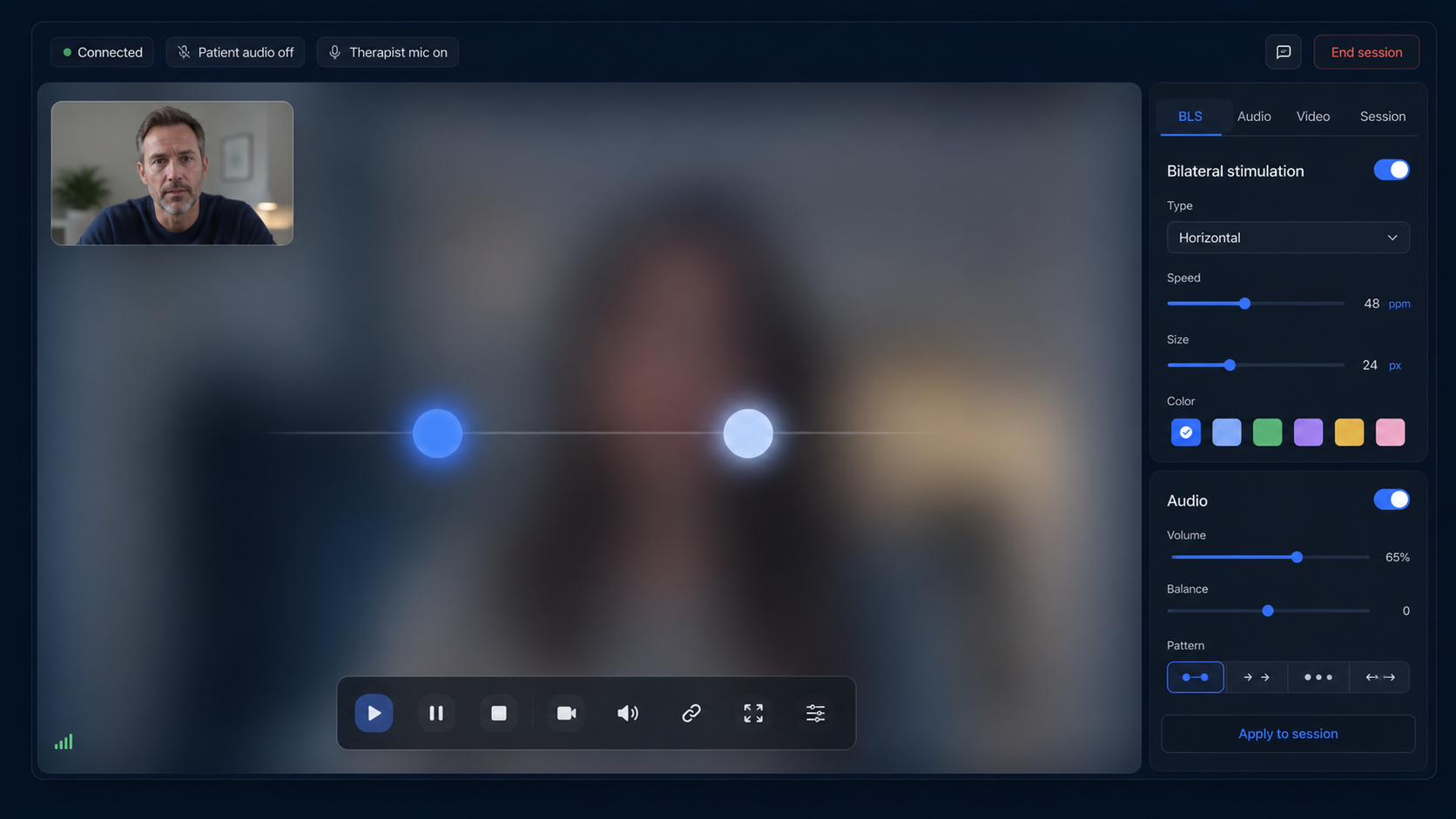
EMDRSuite draws the moving stimulus directly in the patient's browser. This avoids the frame-rate loss, blur, and scaling that can occur when a therapist shares a moving image through a video-call screen share. The patient keeps a clean view while the therapist retains the controls.
The therapist can select horizontal, vertical, diagonal, circular, or figure-eight movement. Speed, travel distance, stimulus size, shape, and color can be adjusted before or during a set. The software offers options; the qualified therapist decides what is appropriate for the patient and clinical plan.
Session controls remain close to the video and patient status indicators. The visual stimulus is hidden while idle and appears only when the therapist starts the set, so it does not cover the patient's face or distract either person between sets.
Realtime session commands keep the selected movement and pace aligned across both views. A starting pace of 60 passes per minute can be adjusted to suit the therapist's clinical judgment, the patient's feedback, the display size, and the purpose of the set.
Visual movement can be used on its own or alongside alternating left-right audio. Volume and sound controls remain separate, allowing the therapist to choose one modality or combine them when clinically appropriate rather than forcing the same setup for every patient.
Patients do not need an EMDRSuite account. They enter through a private session link and see the focused patient room, while patient records, settings, notes, and the clinical session guide stay on the therapist side.