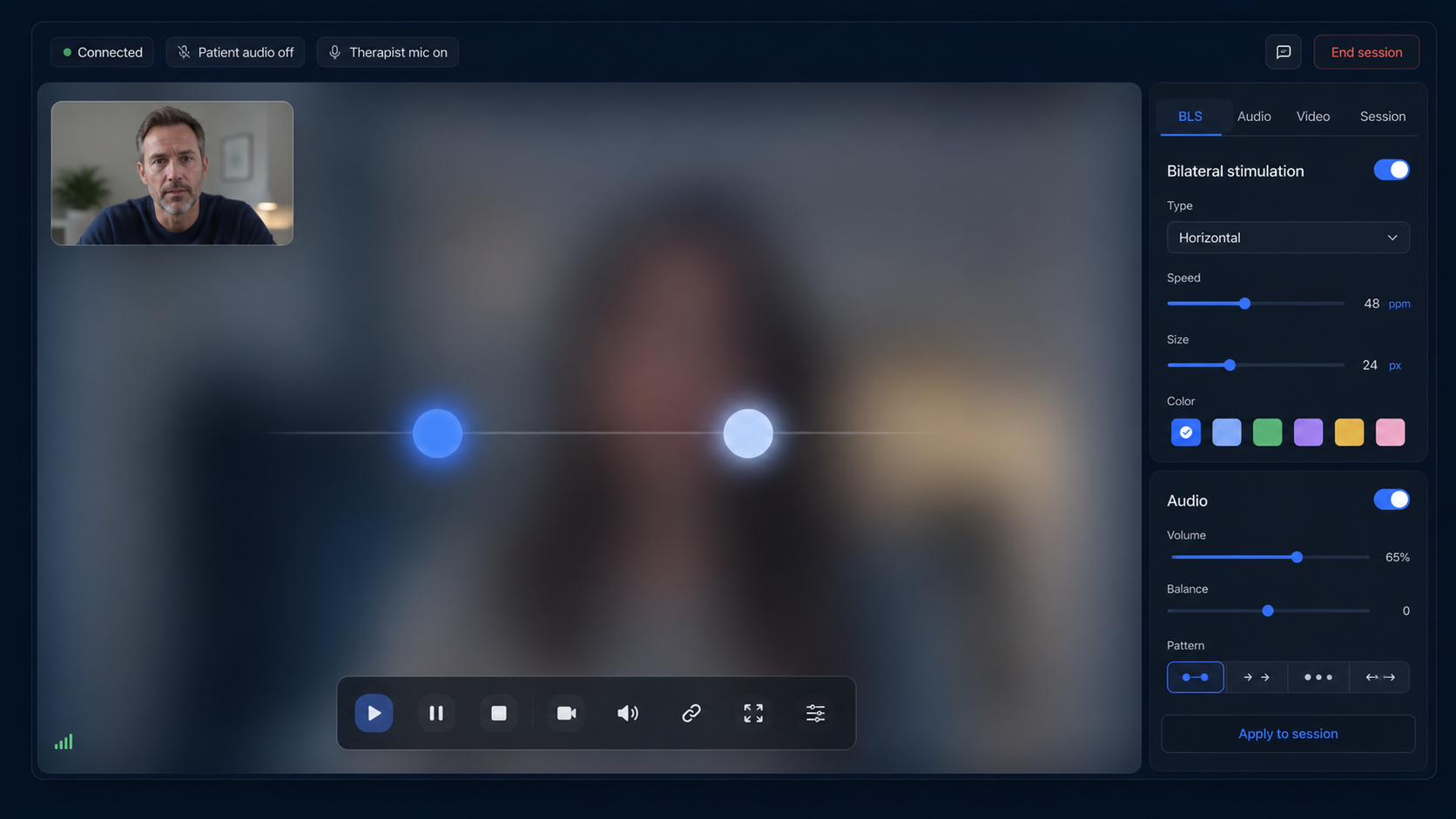
Visual bilateral movements
Run horizontal, vertical, diagonal, circular, and figure-eight BLS with fluid browser animation.
Remote EMDR software for therapists
EMDRSuite brings EMDR tools, bilateral movements, bilateral sounds, secure patient links, video, and notes into one calm workspace for remote EMDR care.
For therapists practising EMDR online
One workspace for your patient link, video and bilateral stimulation. Explore the controls first, then try the complete workflow in your own account.
14 days free · no card · no automatic charge
Afterwards, choose €24.99/month
Create a patient and a session. Set the movement, pace and alternating audio before you begin.
Your patient opens a secure link in their browser. Check camera, microphone and headphones together.
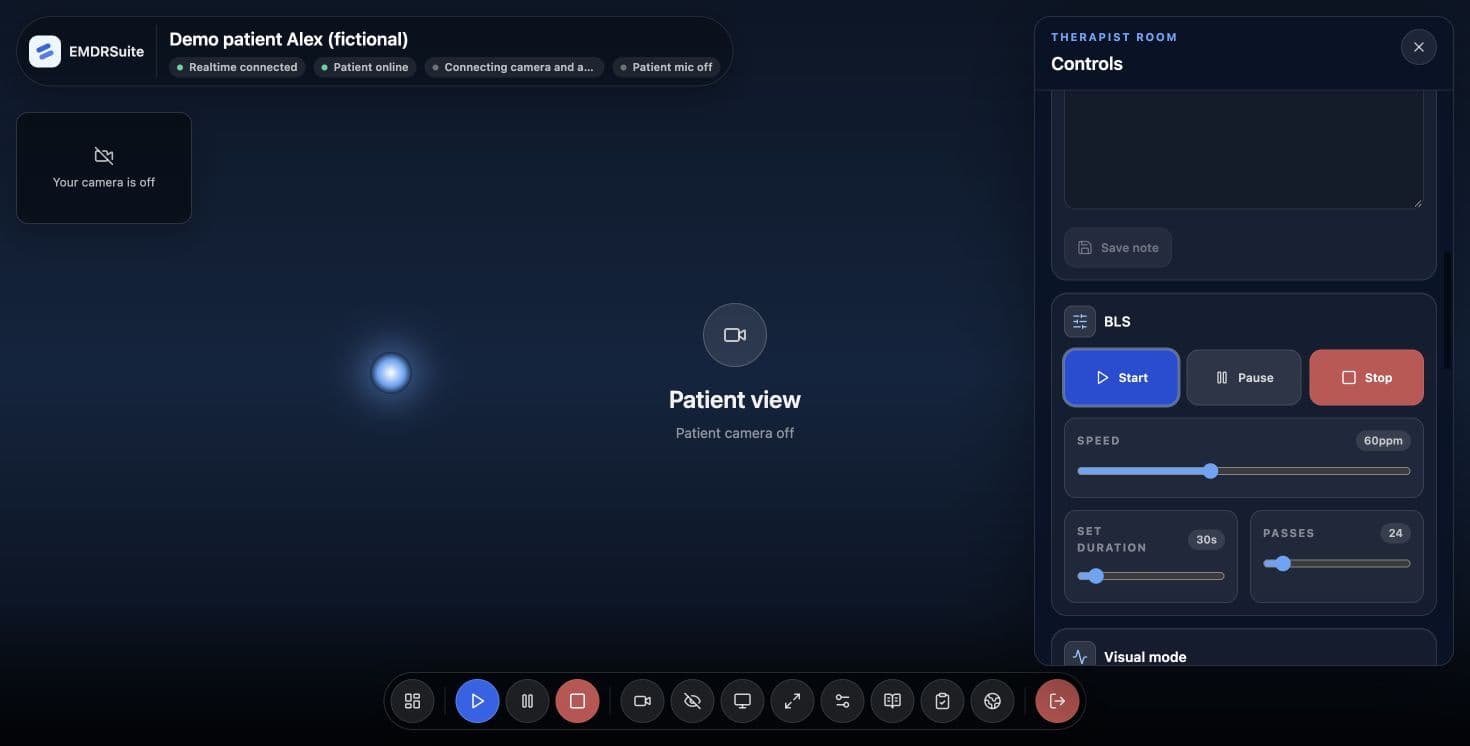
Run and pause BLS, adjust the stimulus and keep video and your session tools close at hand.
The product in action
Explore EMDRSuite and learn at your own pace. Two videos with real screens, clear explanations and a fictional patient.
Explore the patient profile, room and tools that help you prepare for the next appointment.
Fictional data and test media. Synthetic English narration; subtitles in four languages. Pause and repeat any step.
EMDRSuite brings preparation, sessions and follow-up together. Explore it with a fictional patient.
Open the patient’s profile. Their details, session history and notes come together here, without searching through separate documents.
Before the next appointment, review your notes and recorded SUD and VOC values. You interpret that information and decide how to continue.
Create a room and copy the patient’s link. That link gives them access to the space you have prepared.
The patient opens the link and selects Join session. They do not need to create an account or install an app.
Check that you can see and hear each other. Video calling and stimulation share one space, helping you keep your attention on the session.
Adjust speed, size and audio. You can save the patient’s settings and reuse them when creating another session.
You start and pause bilateral stimulation. The patient sees the stimulus on their screen while you keep control.
The worksheet organises your records by phase. You can also consult the cognition library as a resource alongside your professional judgement.
Save your notes and end the session. The patient’s link closes and the records remain linked to that appointment.
Return to the patient’s profile. Use the history to review notes and open the saved worksheet. Your records are ready when you prepare the next session.
Preparation, sessions and follow-up in EMDRSuite. Learn with the step-by-step guide.
Interactive demo · no account required
Start the visual set, adjust the pace and test alternating audio with headphones. This public demo stores no clinical data.
Use headphones to hear the left-right alternation clearly.
Demonstration only. Clinical use remains the responsibility of a qualified therapist.
From demo to therapist-controlled session
Add a secure patient link, integrated video, bilateral stimulation controls and session continuity without asking the patient to install software.
14 days free. No card. No automatic charge. Afterwards, choose €24.99/month.
Therapists often stitch together video calls, timers, audio, notes, and BLS controls. EMDRSuite keeps the session focused.
Video calls, timers, notes, and stimulus controls spread across disconnected apps.
Small interruptions can break session focus and create avoidable clinical drag.
The therapeutic flow becomes harder to protect when the interface gets in the way.
Everything you need for online bilateral stimulation, integrated and designed for clinical presence.
Run horizontal, vertical, diagonal, circular, and figure-eight BLS with fluid browser animation.
Use synchronized left/right audio, percussion-like beats, tones, volume, and pacing controls.
Video sits next to stimulation tools, notes, patient context, and emergency pause controls.
Keep patients, session history, saved BLS settings, and clinical notes organized.
Adjust the movement, pace and alternating sound from your therapist workspace. Your patient receives the stimulus in their own browser, alongside the session video and pause control.
A clean interface helps you stay present while controlling EMDR bilateral stimulation, video, audio, notes, and patient safety.
Today
Emma W.
Last session updated
Daniel R.
Last session updated
Camila S.
Last session updated
Independent clinical guidance
Review the exact recommendation and scope in each primary source rather than relying on a logo or an endorsement claim.
Compare the recommendations and their limitsThese organizations assess EMDR for PTSD. They do not endorse, certify or approve EMDRSuite. EMDRSuite is software for qualified professionals, not a treatment or clinical recommendation.
Use the public visual and alternating-audio demo without creating an account or entering clinical data.
See how therapist controls, patient links, video, notes and the immediate stop action fit together.
Read the safeguards, data boundaries, subprocessors and clinical-use limitations before deciding.
Professional Plan
Billing is handled securely through Stripe Checkout.
EMDRSuite trust mark
Product safeguards you can inspect
A focused clinical workspace built to support calm, professional remote sessions.
EMDRSuite updates
Receive occasional product news, clinical workflow improvements, and practical resources.