Prepare from the patient profile
Keep the patient profile, notes and session history together. Review your records and reuse saved stimulation settings when preparing the next appointment.
For professionals trained in EMDR
Share a patient link, check video and sound together, and control bilateral stimulation without moving between separate tools. Keep the records for your next appointment close at hand.
14 days free · no card · no automatic charge
Then choose whether to subscribe at €24.99/month
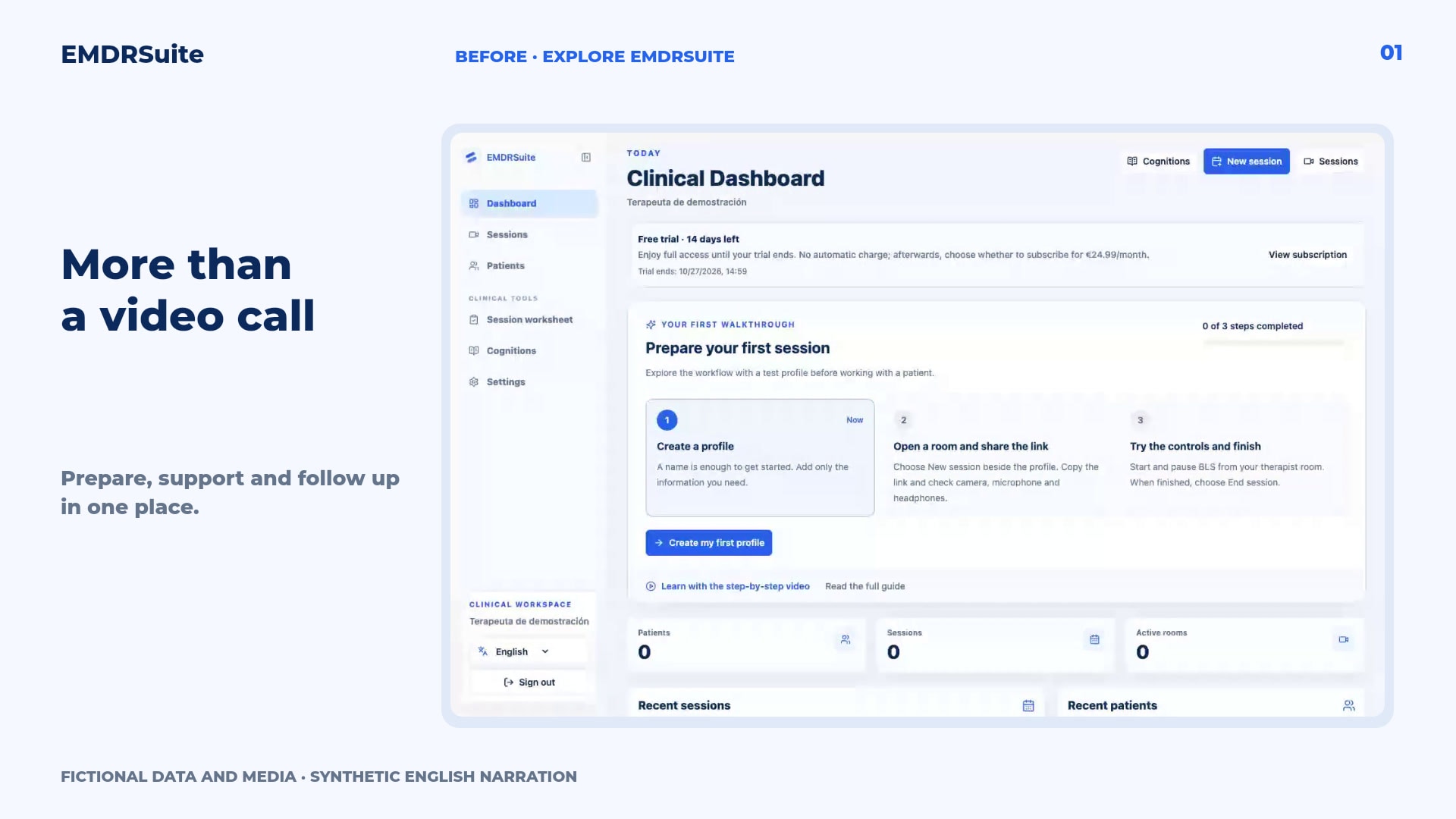
The product in action
Explore EMDRSuite and learn at your own pace. Two videos with real screens, clear explanations and a fictional patient.
Explore the patient profile, room and tools that help you prepare for the next appointment.
Fictional data and test media. Synthetic English narration; subtitles in four languages. Pause and repeat any step.
EMDRSuite brings preparation, sessions and follow-up together. Explore it with a fictional patient.
Open the patient’s profile. Their details, session history and notes come together here, without searching through separate documents.
Before the next appointment, review your notes and recorded SUD and VOC values. You interpret that information and decide how to continue.
Create a room and copy the patient’s link. That link gives them access to the space you have prepared.
The patient opens the link and selects Join session. They do not need to create an account or install an app.
Check that you can see and hear each other. Video calling and stimulation share one space, helping you keep your attention on the session.
Adjust speed, size and audio. You can save the patient’s settings and reuse them when creating another session.
You start and pause bilateral stimulation. The patient sees the stimulus on their screen while you keep control.
The worksheet organises your records by phase. You can also consult the cognition library as a resource alongside your professional judgement.
Save your notes and end the session. The patient’s link closes and the records remain linked to that appointment.
Return to the patient’s profile. Use the history to review notes and open the saved worksheet. Your records are ready when you prepare the next session.
Preparation, sessions and follow-up in EMDRSuite. Learn with the step-by-step guide.
Product proof
Why EMDRSuite
Keep the patient profile, notes and session history together. Review your records and reuse saved stimulation settings when preparing the next appointment.
Create a session and share its patient link. Your patient joins in their browser without installing an app or creating an account. Check camera, microphone and headphones before starting.
Use the video call alongside therapist-controlled visual and auditory bilateral stimulation. Adjust movement and pace, start and pause sets, and use the safety pause when needed.
Save your notes and worksheet, close the room, and return to the patient history to prepare the next session. You enter and interpret the clinical records yourself.
FAQ
EMDRSuite is software for professionals trained in EMDR. It supports the technical workflow; clinical decisions remain with the therapist.
No. The therapist creates the session and shares a patient link. The patient opens it in a compatible browser and allows camera and microphone access when using the video call.
Yes. The session room includes a video call and visual and auditory bilateral stimulation controlled by the therapist. Check both participants' devices and headphones in a rehearsal.
The patient profile brings together your notes, session history and saved settings. You can reopen a saved worksheet and review the records you entered; the software does not interpret them for you.
Yes. Register for 14 days without a card or an automatic charge, then rehearse with fictional data using the guided first session. Afterwards, choose whether to subscribe at €24.99/month.
The pages, guides and session controls adapt to mobile and desktop. Before a real appointment, test your browser, connection, camera, microphone and headphones on the devices you plan to use.
EMDRSuite
14 days free · no card · no automatic charge. Then choose whether to subscribe at €24.99/month.