Preparing remote visual BLS
Remote EMDR lightbar setup: patient device, session controls, and contingency
A step-by-step setup for patient access, visual and audio testing, therapist controls, privacy, connection failure and safe technical documentation in remote EMDR.
By the EMDRSuite Editorial Team
Product claims checked against the current EMDRSuite code and interface.
No independent clinical reviewer is named for this guide.
Test the patient's real route before the appointment
Send the private link through the agreed channel and test the device, browser, network and headphones that will be used. A successful check on another computer does not reveal a small screen, restricted browser, power-saving mode or unstable home connection.
Confirm entry without unnecessary installation, camera and microphone permissions, stimulus readability, visible pause and reconnection. For bilateral audio, verify left and right separately with the intended headphones.
Begin with the clinical and technical frame visible
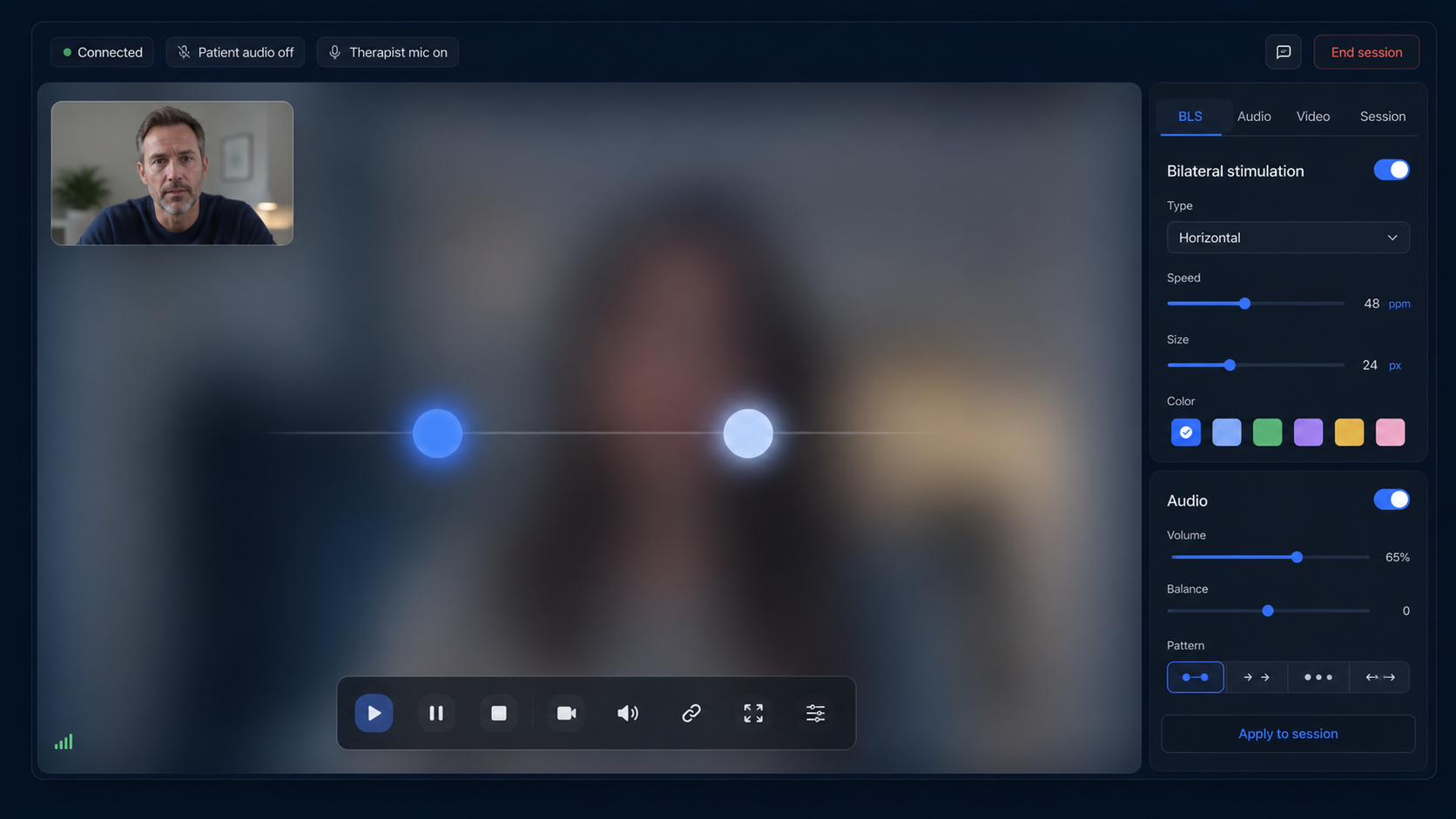
Reconfirm consent for remote work, current location, privacy, emergency contacts and the backup route according to the practice plan. Display the lightbar before starting a set so screen position, viewing distance, comfort and patient stop control can be checked.
Start with an observable path and comfortable settings. Adjust speed, size and width from current feedback rather than automatically applying a previous preset. Device and patient conditions may have changed.
Keep essential controls beside the video relationship
Start, pause, stop and core adjustments should stay close to the video session so the lightbar does not become a separate technical task. The therapist must be able to stop the stimulus before troubleshooting.
Observe contact quality as well as animation. If video freezes, audio becomes unstable or an instruction is missed, pause BLS, re-establish contact and then decide whether the clinical frame supports resuming.
Reconnect deliberately and document only what is needed
Use the agreed backup channel after a disconnection and verify the patient's situation before reopening or continuing. A restored socket does not by itself mean the interrupted set should resume.
Record the clinical response in the appropriate record and any technical issue separately with minimal operational detail: device, browser, approximate time and symptom. Do not place patient identity, targets or session content in an ordinary support request.
FAQ
remote EMDR lightbar setup
Should the patient install an app?
Not when the lightbar is designed for a compatible browser; the private link can open the required patient view directly.
Which screen works best?
A computer or tablet usually offers more visual space, but the exact device, orientation, width and comfort must be checked.
What happens if movement is not smooth?
Pause, confirm contact, reduce competing network or device load and retest a simple path before any decision to continue.
What belongs in a technical support message?
Only minimal operational facts such as device, browser, time and observed symptom, without patient identity or clinical content.
References
Remote EMDR lightbar setup: patient device, session controls, and contingency
EMDRSuite
Put the guide into practice with EMDRSuite
Run remote EMDR with visual BLS, bilateral sounds, secure patient links, video-ready sessions, saved settings, and notes.
Continue with related EMDR guides