Understanding visual stimulation
EMDR lightbar: how it works, what settings change, and what to test
A practical explanation of physical and browser-based EMDR lightbars, therapist controls, visual settings, rendering limits, accessibility and patient-side testing.
By the EMDRSuite Editorial Team
Product claims checked against the current EMDRSuite code and interface.
No independent clinical reviewer is named for this guide.
A lightbar is a delivery device, not the whole treatment
A physical EMDR lightbar moves a visible point along a dedicated strip. A browser-based lightbar renders a moving stimulus on the patient's own screen while a trained therapist directs the session. Both are ways to deliver visual bilateral stimulation within a broader clinical process.
The device does not select a diagnosis, target, pace or protocol. Assessment, preparation, dual attention, observation, consent, stopping and follow-up remain therapist responsibilities regardless of whether the light is physical or digital.
Settings change what the patient actually sees
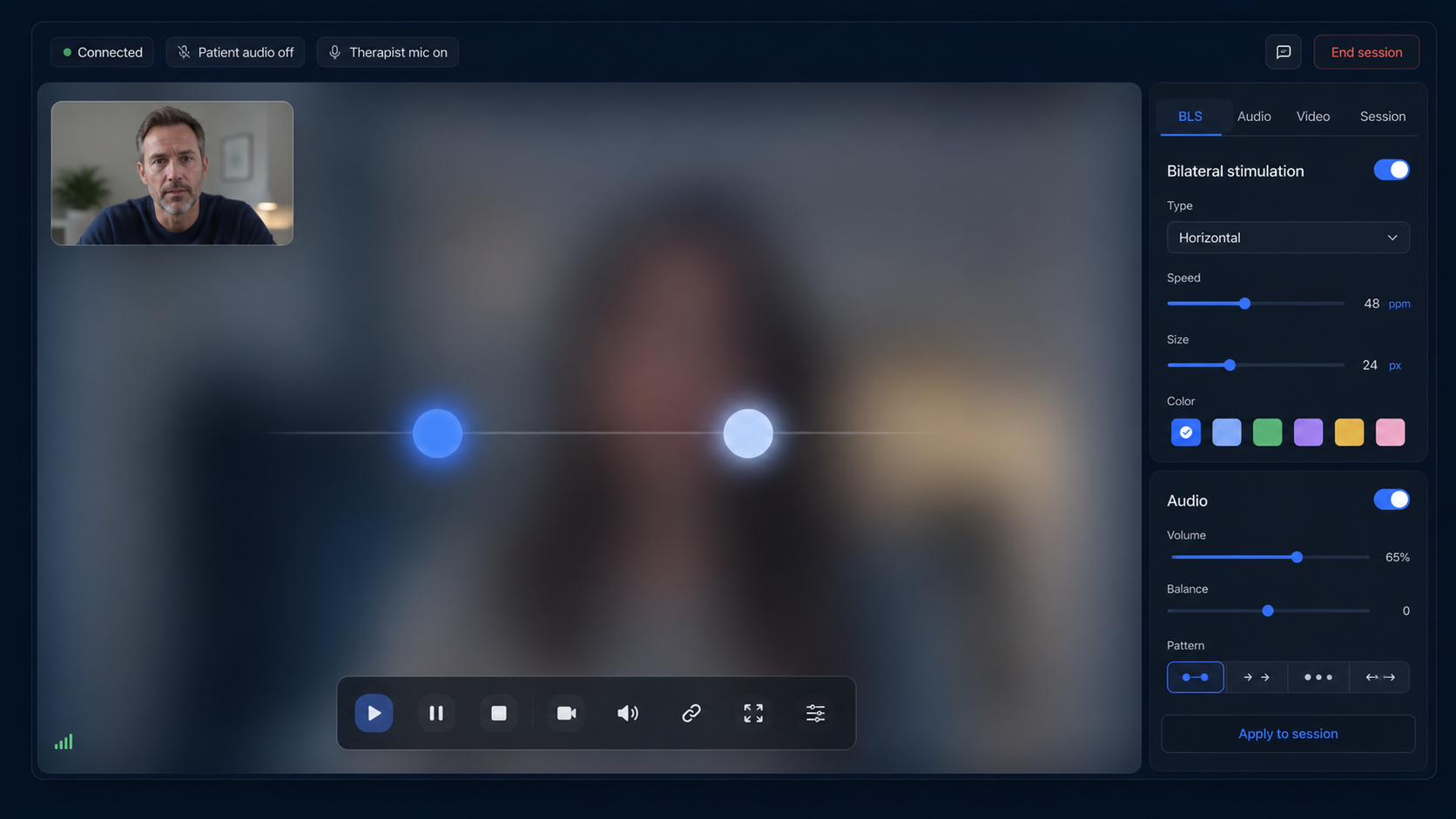
Path, speed, travel width, size, shape, colour, background and set duration alter visual demand. Controls should make start, pause and stop immediate and should not force the therapist to lose video contact or switch through several windows.
Displayed values are not the whole experience. Screen size, refresh rate, browser load, orientation, viewing distance, vision and network state influence perceived motion, so settings need patient feedback and live observation rather than automatic reuse.
Local browser rendering differs from screen sharing
Screen sharing sends the moving image through another compressed video stream. That may add interface clutter and uneven movement. When the patient's browser renders the stimulus locally, control messages cross the session while animation is drawn on the patient's device.
Local rendering can produce a simpler patient view, but it still depends on a compatible browser and capable device. Animation timing can vary when a tab is hidden or the device saves power, which is why real-device testing and visible pause state matter.
Test comfort, accessibility and failure behaviour
Check the exact screen in portrait and landscape, several paths and speeds, zoom, contrast, motion comfort, keyboard access, immediate pause and return after reload. If bilateral audio is added, test headphones, left-right orientation and volume separately.
Agree a patient stop signal and backup contact. If movement stutters, contact becomes uncertain or the patient asks to stop, pause stimulation first. EMDRSuite provides remote controls, but the therapist decides whether visual BLS is suitable and how it is used.
FAQ
how an EMDR lightbar works
Does an online EMDR lightbar require special hardware?
No. A compatible browser can render it on a computer, tablet or phone, although the exact screen and orientation should be tested.
Why can the same speed feel different on two devices?
Screen width, refresh behaviour, browser load, viewing distance and animation implementation can change perceived motion.
Is browser rendering the same as screen sharing?
No. Local rendering draws the stimulus on the patient device; screen sharing transmits it as part of another video image.
Does a lightbar replace clinical observation?
No. It is a delivery control and cannot replace assessment, preparation, patient feedback, observation or stopping decisions.
References
EMDR lightbar: how it works, what settings change, and what to test
EMDRSuite
Put the guide into practice with EMDRSuite
Run remote EMDR with visual BLS, bilateral sounds, secure patient links, video-ready sessions, saved settings, and notes.
Continue with related EMDR guides