EMDR video buying guide
How to choose an EMDR video platform: 12-point checklist
Use this 12-point checklist to compare EMDR video platforms by patient access, browser permissions, live BLS quality, audio, pause controls, reconnection, privacy, workflow, and price.
By the EMDRSuite Editorial Team
Product claims checked against the current EMDRSuite code and interface.
No independent clinical reviewer is named for this guide.
Patient entry and video basics: points 1-3
1. Count every step between invitation and entry. Test whether the patient needs an account, installation, meeting code, second tab, or separate BLS link. Fewer steps are useful only when identity, consent, and access boundaries remain clear.
2. Test camera and microphone permission prompts on the devices patients actually use. 3. Repeat the test on desktop, tablet, and phone, checking orientation, readable controls, video framing, and whether the patient can recover after denying a permission.
BLS delivery and therapist control: points 4-6
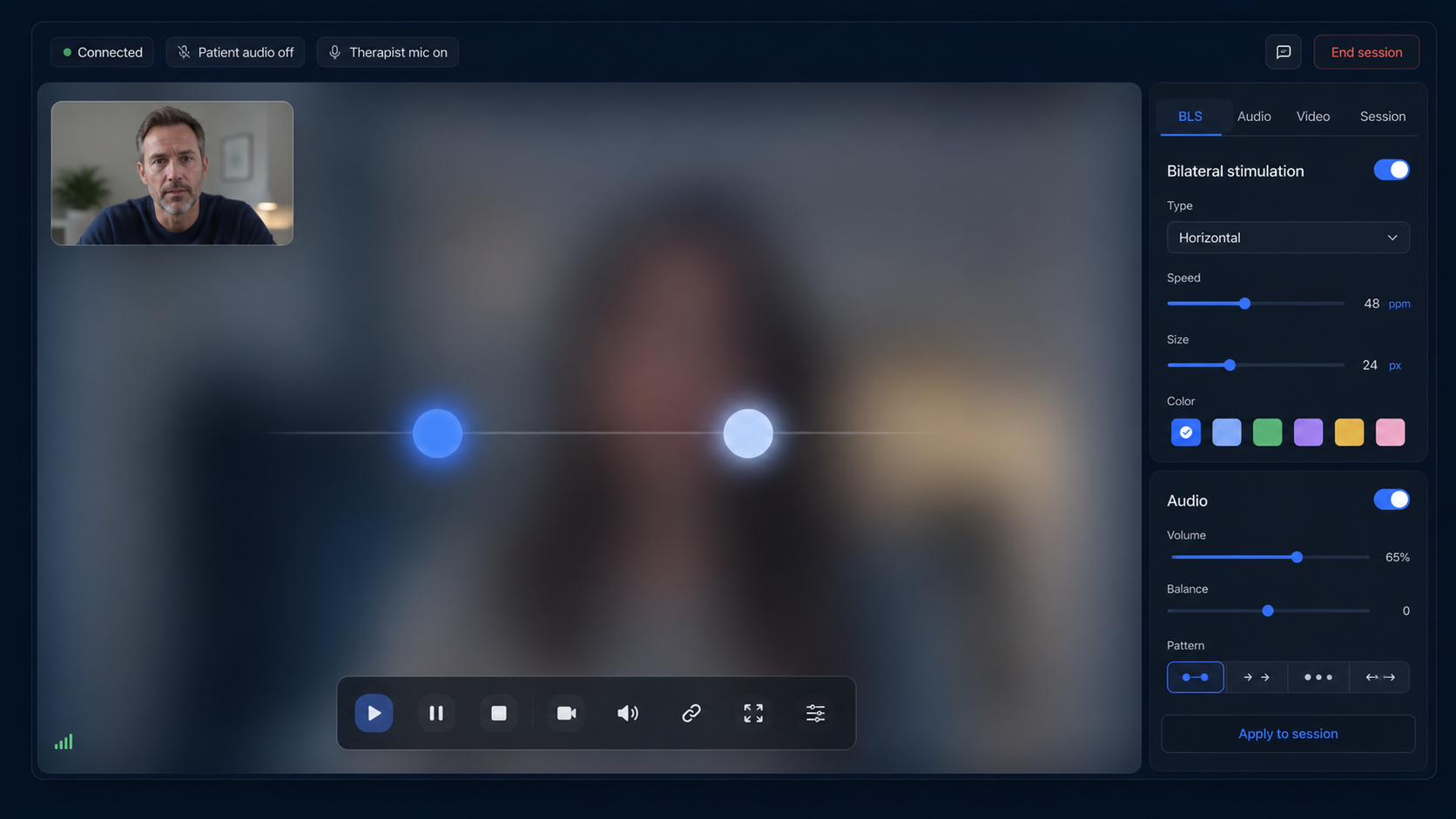
4. Confirm whether the patient device renders the visual stimulus locally or receives it through screen sharing. 5. Test the full useful range of movement, speed, size, shape, color, duration, repetition, start, pause, and stop controls while the call is active.
6. For auditory BLS, verify distinct left-right stereo, volume, sound options, synchronization, headphone behavior, and the browser interaction needed to unlock audio. A feature list is not enough; watch and hear the same set from the patient room.
Continuity and safety controls: points 7-9
7. Ask the patient to trigger the immediate pause and confirm what the therapist sees. 8. Interrupt Wi-Fi briefly or reload the patient room to observe connection status, reconnection, and whether the active stimulus stops safely.
9. Check that the workflow leaves room for current location, emergency contacts, an agreed backup channel, informed consent, and clinical suitability. Software can support contingency planning, but it cannot provide it automatically.
Practice fit, trust, and cost: points 10-12
10. Follow the work beyond the call: patient profiles, saved settings, notes, session history, and how easily the therapist returns to context. 11. Read the privacy, security, subprocessors, retention, legal, accessibility, and clinical-disclaimer pages; avoid unsupported compliance badges.
12. Compare the real monthly cost, trial terms, cancellation path, included video, BLS limits, extra hardware, and separate services still required. Run one complete test session before deciding, not just a polished demo.
FAQ
choose an EMDR video platform
Should an EMDR video platform replace Zoom?
It can when integrated video meets the practice's technical, privacy, contractual, and workflow requirements. Some organizations may still require an approved external video platform.
What is the most important patient-side test?
Open the actual patient link on the intended device and test entry, permissions, video, visual BLS, stereo audio, pause, rotation, disconnect, and re-entry.
Does EMDRSuite include video and BLS in one room?
Yes. Its standard workflow combines browser video and audio with therapist-controlled visual and auditory BLS, patient access, pause signals, settings, and notes.
Can a checklist decide clinical suitability?
No. It compares software and operational fit. The qualified therapist remains responsible for screening, consent, safety planning, modality, pacing, and local requirements.
References
How to choose an EMDR video platform: 12-point checklist
EMDRSuite
Put the guide into practice with EMDRSuite
Run remote EMDR with visual BLS, bilateral sounds, secure patient links, video-ready sessions, saved settings, and notes.
Continue with related EMDR guides