EMDR software comparison
EMDR video chat vs Zoom plus a separate BLS tool
Compare an integrated EMDR video room with a workflow that combines a general video platform, a separate bilateral stimulation tool, timers, links, and notes.
By the EMDRSuite Editorial Team
Product claims checked against the current EMDRSuite code and interface.
No independent clinical reviewer is named for this guide.
The two common remote EMDR setups
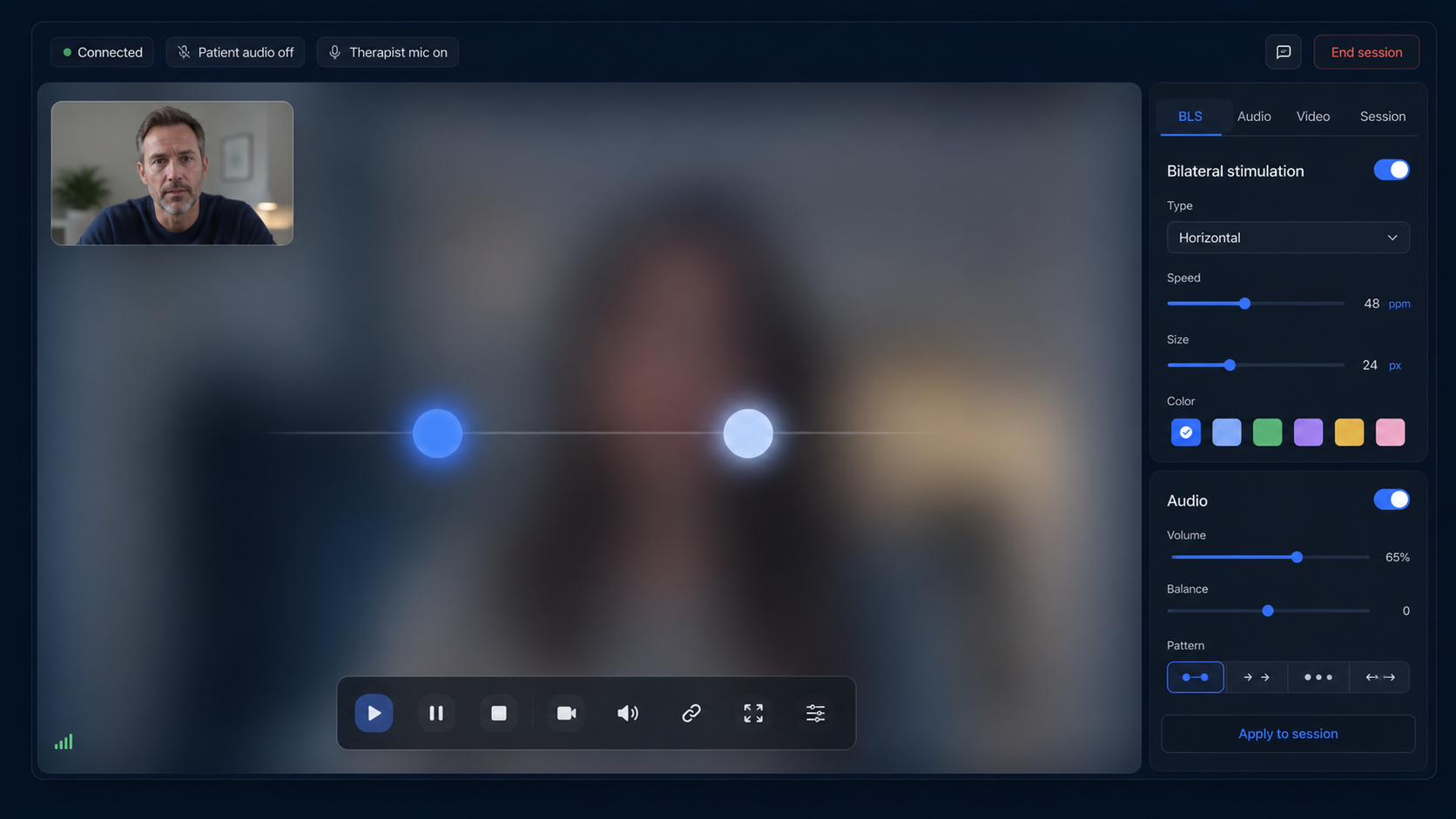
A modular setup uses a general video platform for conversation and another browser tab or service for bilateral stimulation. An integrated setup puts video, patient access, visual and auditory BLS, pause signals, settings, and notes into one product workflow.
Neither structure makes clinical decisions for the therapist. The practical difference is how many systems both people must understand and how smoothly the session moves between conversation and bilateral sets.
Patient access and cognitive load
With separate tools, the patient may receive a meeting link plus a BLS link, manage multiple windows, or watch a screen share. That can work, but instructions and screen arrangement must be very clear.
An integrated room uses one patient link and one focused interface. This reduces navigation, although the therapist still needs to orient the patient and test camera, microphone, audio, and pause controls.
Control and stimulus quality
Screen sharing can introduce scaling, compression, delay, and competing call controls around the visual stimulus. A dedicated patient room renders the movement locally and receives live control commands from the therapist.
The relevant comparison is not a brand name alone. Test movement smoothness, speed range, audio alternation, pause behavior, reconnect handling, device support, and what the patient actually sees.
Privacy, records, and vendor review
A multi-tool workflow distributes data and responsibilities across more providers. An integrated workflow reduces the number of active products, but still requires a careful review of hosting, video architecture, contracts, privacy notices, retention, access controls, and local obligations.
Do not infer compliance from a marketing label. The practice remains responsible for configuration, agreements, policies, consent, and appropriate use.
How to choose
Choose separate tools when an approved video platform is mandatory, the team already has a reliable workflow, or a specialized BLS utility offers a needed capability. Choose an integrated tool when simpler patient access and fewer context switches materially improve the session.
Run a realistic test with the exact devices and network conditions used in practice. The best option is the one that supports clinical presence, predictable control, patient safety planning, and operational reliability.
FAQ
EMDR video chat vs separate BLS tools
Does EMDRSuite replace Zoom for video sessions?
EMDRSuite includes browser video and audio, so a separate call is not required for its standard session workflow. A practice may still use another approved platform when its policies require it.
Is an integrated tool always better?
No. The right choice depends on clinical workflow, existing contracts, reliability, device support, privacy review, and the capabilities the practice needs.
Does EMDRSuite provide text chat?
No built-in text-chat feature is claimed. The relevant feature is live therapist-patient video and audio; the patient link may be shared through an appropriate external channel.
What should I test before choosing?
Test patient entry, video and audio permissions, BLS smoothness, therapist controls, pause and reconnect behavior, screen sizes, documentation flow, and the backup plan.
References
EMDR video chat vs Zoom plus a separate BLS tool
EMDRSuite
Put the guide into practice with EMDRSuite
Run remote EMDR with visual BLS, bilateral sounds, secure patient links, video-ready sessions, saved settings, and notes.
Continue with related EMDR guides