Bilateral stimulation guide
Online bilateral stimulation guide for EMDR therapists
Learn what to evaluate in online bilateral stimulation tools: visual movement, rhythm, therapist control, patient focus, audio synchronization, and session boundaries.
By the EMDRSuite Editorial Team
Product claims checked against the current EMDRSuite code and interface.
No independent clinical reviewer is named for this guide.
Define the delivery path before comparing controls
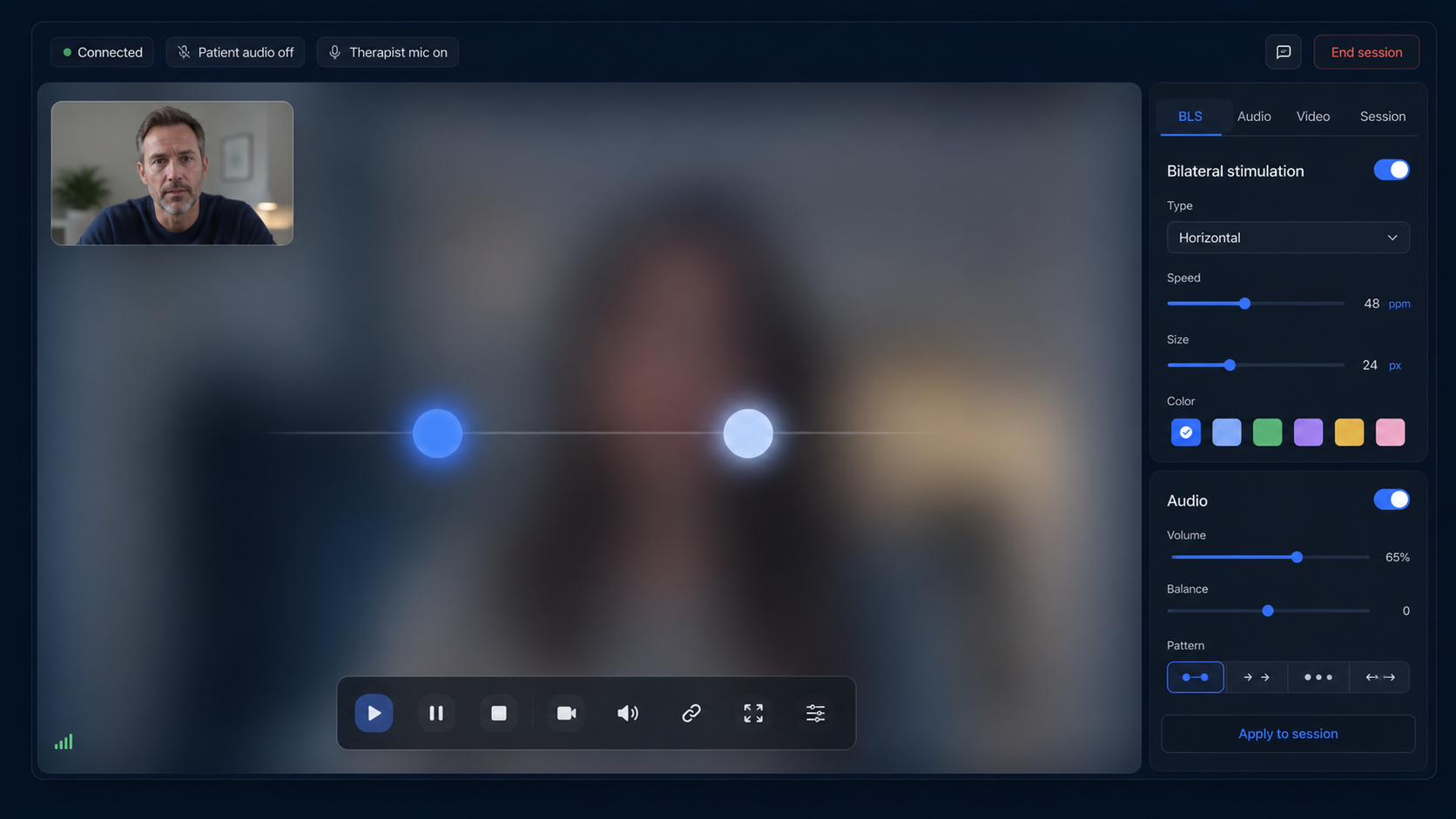
Online bilateral stimulation can mean a moving target rendered in the patient's browser, alternating audio, a screen-shared animation, therapist-guided tapping, or separate tactile hardware. These paths are not technically equivalent, so the first buying question is what reaches the patient and who controls it.
A dedicated room can send compact start, pause, stop, and configuration events while drawing the visual stimulus locally. That avoids video-call compression, but smoothness still needs to be checked on the patient's actual screen, browser, and network.
Evaluate visual movement as a patient experience
Test horizontal, vertical, diagonal, and other supported paths across the useful speed and range. Look for stable timing, clear edge behavior, comfortable target size, contrast, reduced-motion needs, screen orientation, and an immediate way to stop.
Do not infer clinical quality from maximum speed or a long settings list. The therapist selects modality and pacing, observes the response, and changes or stops the set when the clinical or technical context requires it.
Separate audio readiness from visual readiness
A moving target can work while bilateral audio fails because headphones are mono, channels are reversed, volume is uncomfortable, or the browser has blocked sound until the patient interacts with the page. Test left and right separately before relying on synchronized audio.
Visual and auditory BLS may run alone or together when selected by the therapist. Tactile stimulation requires a distinct method or compatible hardware; an ordinary browser animation should never be described as tactile delivery.
Test interruption, reconnection, and professional boundaries
Pause during a set, reload the patient room, briefly interrupt the network, and confirm that active stimulation does not continue invisibly. Verify connection status, state restoration, the patient safety signal, and the agreed backup communication route.
Online BLS is one technical component of therapist-led EMDR. It does not assess readiness, choose targets, prescribe speed, monitor dissociation, or turn a public animation into self-administered therapy.
FAQ
online bilateral stimulation
Is browser-based BLS the same as screen sharing?
No. A dedicated room can render movement locally from therapist commands, while screen sharing sends compressed video frames.
What should be tested on the patient device?
Movement smoothness and range, screen size, pause behavior, stereo channels, volume, orientation, interruption, and re-entry.
Does online BLS include tactile stimulation?
Not automatically. Tactile delivery needs therapist-guided tapping or compatible external hardware.
Can software choose the correct BLS speed?
No. Controls support delivery; modality, pacing, observation, and stopping remain clinical decisions.
References
Online bilateral stimulation guide for EMDR therapists
EMDRSuite
Put the guide into practice with EMDRSuite
Run remote EMDR with visual BLS, bilateral sounds, secure patient links, video-ready sessions, saved settings, and notes.
Continue with related EMDR guides